.webp)
.webp)
CAPI vs Meta Pixel: What's the Difference and Which One Does Your Business Need?
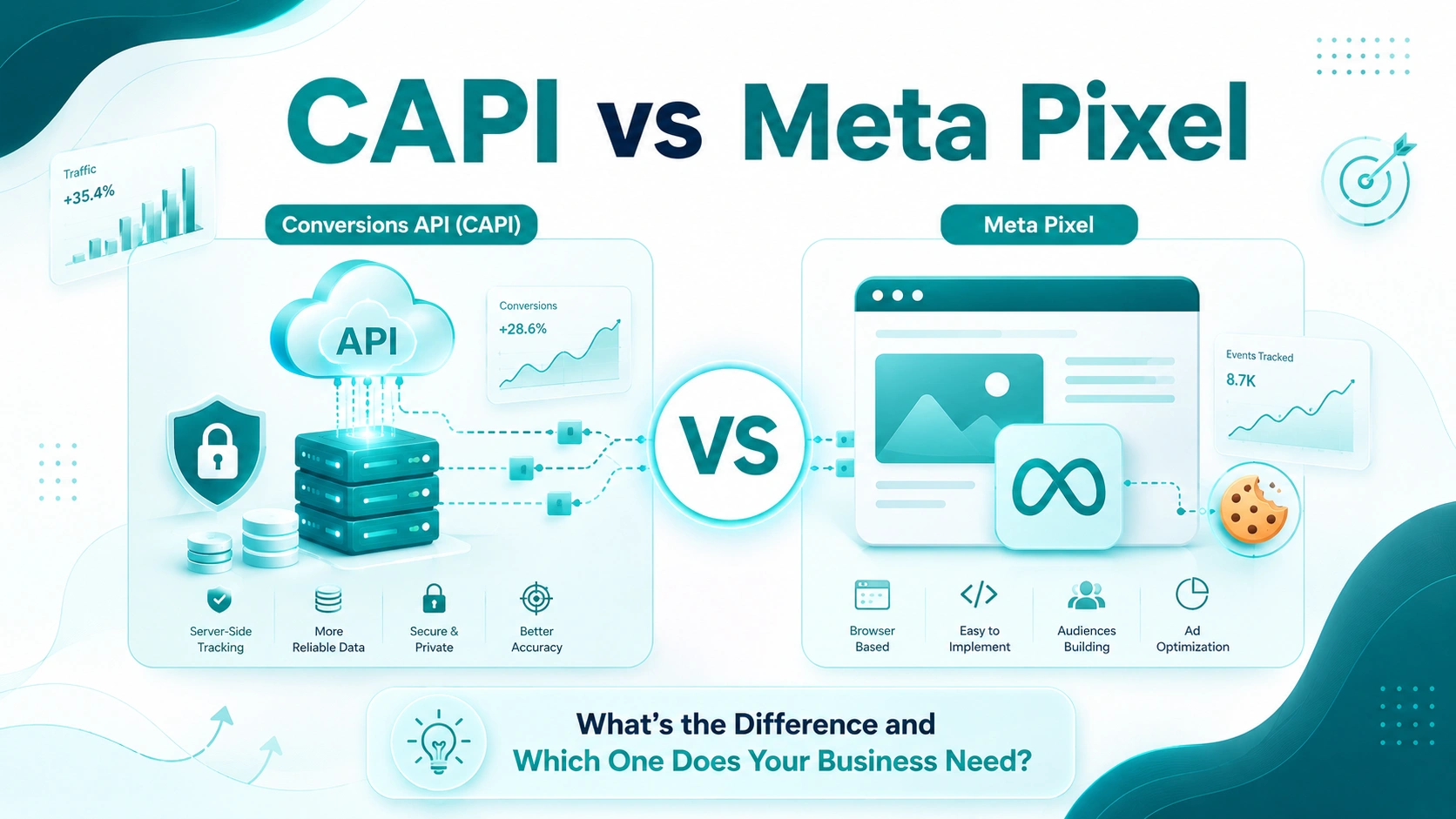
Introduction
If you run ads on Facebook or Instagram, you've probably run into two terms that sound technical but matter a lot for your results: Meta Pixel and Conversions API, often shortened to CAPI. Both are tools Meta uses to track what people do after they click your ad — whether they visit your site, add something to their cart, or complete a purchase. But they don't work the same way, and understanding the difference can directly affect how well your campaigns perform.
In this guide, we'll break down what Meta Pixel and CAPI actually do, how they're different, why CAPI has become essential since Apple's privacy changes, and whether you should be using one, the other, or both together.
What Is Meta Pixel?
Meta Pixel is a small piece of code you place on your website. It runs in the visitor's browser and sends information back to Meta whenever someone takes an action, like viewing a page, adding a product to their cart, or completing a checkout. This is known as client-side tracking, because the data collection happens on the client — the user's browser — rather than on your server.
Meta Pixel has been the standard tracking method for years because it's simple to install and gives advertisers a clear picture of on-site behavior. It also powers features like retargeting, lookalike audiences, and standard event-based ad optimization.
Limitations of Meta Pixel
- It relies on the visitor's browser allowing cookies and scripts to run.
- Ad blockers, privacy browsers, and tracking-prevention tools can stop it from firing.
- Apple's iOS 14.5 update reduced the volume of trackable events, especially on mobile Safari.
- It can't see what happens outside the browser, such as phone orders or in-store purchases.
What Is Conversions API (CAPI)?
Conversions API is Meta's server-side tracking solution. Instead of relying on a browser to send data, CAPI lets your web server, app backend, or CRM system send event data directly to Meta. This is called server-side tracking, and it doesn't depend on cookies, browser scripts, or whether a visitor's device allows tracking.
Because the data comes from your own systems rather than the browser, it tends to be more complete and harder to lose. CAPI can send the same types of events as Pixel, such as purchases and leads, and it can also send additional data Pixel can never see, like offline sales or CRM-based conversions.
Advantages of Conversions API
- Not affected by ad blockers or browser tracking restrictions.
- More resilient to iOS and privacy-browser limitations.
- Can include offline events, like phone or in-person sales.
- Improves event match quality, which helps Meta's ad algorithm optimize more accurately.
CAPI vs Meta Pixel: Side-by-Side Comparison
|
Aspect |
Meta Pixel |
Conversions API (CAPI) |
|
Data source |
Browser (client-side) |
Server, app, or CRM (server-side) |
|
Blocked by ad blockers/ITP? |
Yes, frequently |
No |
|
Depends on cookies? |
Yes |
No |
|
Setup complexity |
Low — one snippet |
Higher — server or partner integration |
|
Data accuracy |
Degraded since iOS 14.5 |
More complete and reliable |
|
Data types sent |
Page views, clicks, browser events |
Same events, plus offline/CRM data |
|
Best used |
Alone (legacy) |
Together with Pixel (recommended) |
Why the Difference Matters Now
A few years ago, Meta Pixel alone was enough for most advertisers. That changed with a series of privacy shifts across the web. Apple's App Tracking Transparency framework requires apps to ask permission before tracking users, and most people decline. Browsers like Safari and Firefox have also tightened restrictions on third-party cookies, and ad-blocking extensions are more common than ever.
The result is that Meta Pixel, on its own, now misses a meaningful share of conversions. Advertisers who rely only on Pixel often see incomplete reporting, which can make campaigns look less effective than they really are and can throw off Meta's ability to optimize ad delivery toward the right audience.
Should You Use Meta Pixel and CAPI Together?
Yes. Meta itself recommends running Pixel and CAPI in tandem rather than choosing one over the other. When both are active, Meta uses a shared event identifier to detect when the same action, like a single purchase, has been reported by both Pixel and CAPI. It then deduplicates the event, counting it once instead of twice, while still benefiting from whichever source captured the event most reliably.
This combined setup is sometimes called redundant tracking. If a browser blocks Pixel from firing, CAPI can still catch the conversion through your server. If your server integration has a temporary issue, Pixel can still catch what the browser sees. Together, they cover each other's blind spots.
How to Get Started With CAPI
There are a few common ways businesses implement Conversions API, depending on technical resources:
- Direct integration: A developer connects your server to Meta's API endpoints manually, giving full control over which events and parameters are sent.
- Partner integrations: Platforms like Shopify, WooCommerce, and various tag management tools offer built-in CAPI connections that can be enabled with minimal setup.
- Server-side Google Tag Manager: A more flexible middle ground that lets you manage both Pixel and CAPI events from a single server container.
Whichever route you choose, it's worth checking Meta Events Manager's diagnostics after setup to confirm that events are matching correctly and that deduplication is working as expected.
Final Thoughts
Meta Pixel and Conversions API aren't competing tools; they're two halves of a more complete tracking system. Pixel is easy to install and still useful for capturing browser-side behavior, but it has real limitations in today's privacy-focused environment. CAPI fills those gaps by sending data directly from your server, making your conversion tracking more accurate and your ad campaigns easier to optimize.
For most businesses running Meta ads in 2026, the question isn't CAPI vs Meta Pixel — it's how to run both together effectively.
Frequently Asked Questions (FAQs)
1. Do I need both Meta Pixel and CAPI, or just one?
Meta recommends using both together. Running Pixel and CAPI side by side lets Meta deduplicate overlapping events and fill in the gaps left by browser-based tracking alone, which improves match quality and reporting accuracy.
2. Is Conversions API a replacement for Meta Pixel?
No. CAPI is a complement, not a replacement. Pixel still captures useful browser-side signals like on-page behavior, while CAPI adds server-side reliability. Meta's own guidance treats the two as a combined tracking system.
3. Why did Meta Pixel become less reliable?
Apple's iOS 14.5 App Tracking Transparency update, along with browser-level cookie restrictions in Safari and Firefox, and widespread ad-blocker use, all reduced the volume of events that Pixel can capture on its own.
4. Does CAPI require coding knowledge to set up?
Direct server-side integration typically needs a developer to send events via Meta's API. However, many businesses use no-code options such as Meta's partner integrations, Google Tag Manager's server container, or platforms like Shopify, which offer built-in CAPI setups.
5. Will CAPI fix all my tracking and attribution problems?
It significantly improves data accuracy but doesn't guarantee perfect attribution. Results still depend on proper event matching, consistent parameters like email or phone hashes, and correct deduplication settings between Pixel and CAPI.
6. How does Meta prevent duplicate events when both Pixel and CAPI send the same conversion?
Meta uses a shared event ID sent by both Pixel and CAPI for the same action. When it detects matching event IDs within a set time window, it counts the conversion once instead of twice.
7. Is customer data safe when sent through Conversions API?
Personal details such as email or phone number must be hashed using SHA-256 before being sent to Meta. This is a required step in CAPI setup and helps keep raw customer data from being transmitted in plain text.
8. Does using CAPI cost more than using Meta Pixel?
Meta Pixel itself is free to install. CAPI is also free to use, though a direct server-side build may involve development or hosting costs, while third-party or platform-native integrations often have little to no added cost.
9. Which businesses benefit most from Conversions API?
Ecommerce stores, subscription businesses, lead-generation companies, and any advertiser running Meta ad campaigns with a meaningful budget tend to see the biggest gains, since more accurate conversion data directly improves ad optimization and return on ad spend.
10. How do I check if my CAPI setup is working correctly?
Meta Events Manager includes a diagnostics panel showing event match quality, deduplication status, and errors for both Pixel and CAPI. Reviewing this panel after setup confirms whether events are arriving correctly and matching as expected.