.webp)
.webp)
Grasping the Difference Between Theme and Template for Web Success
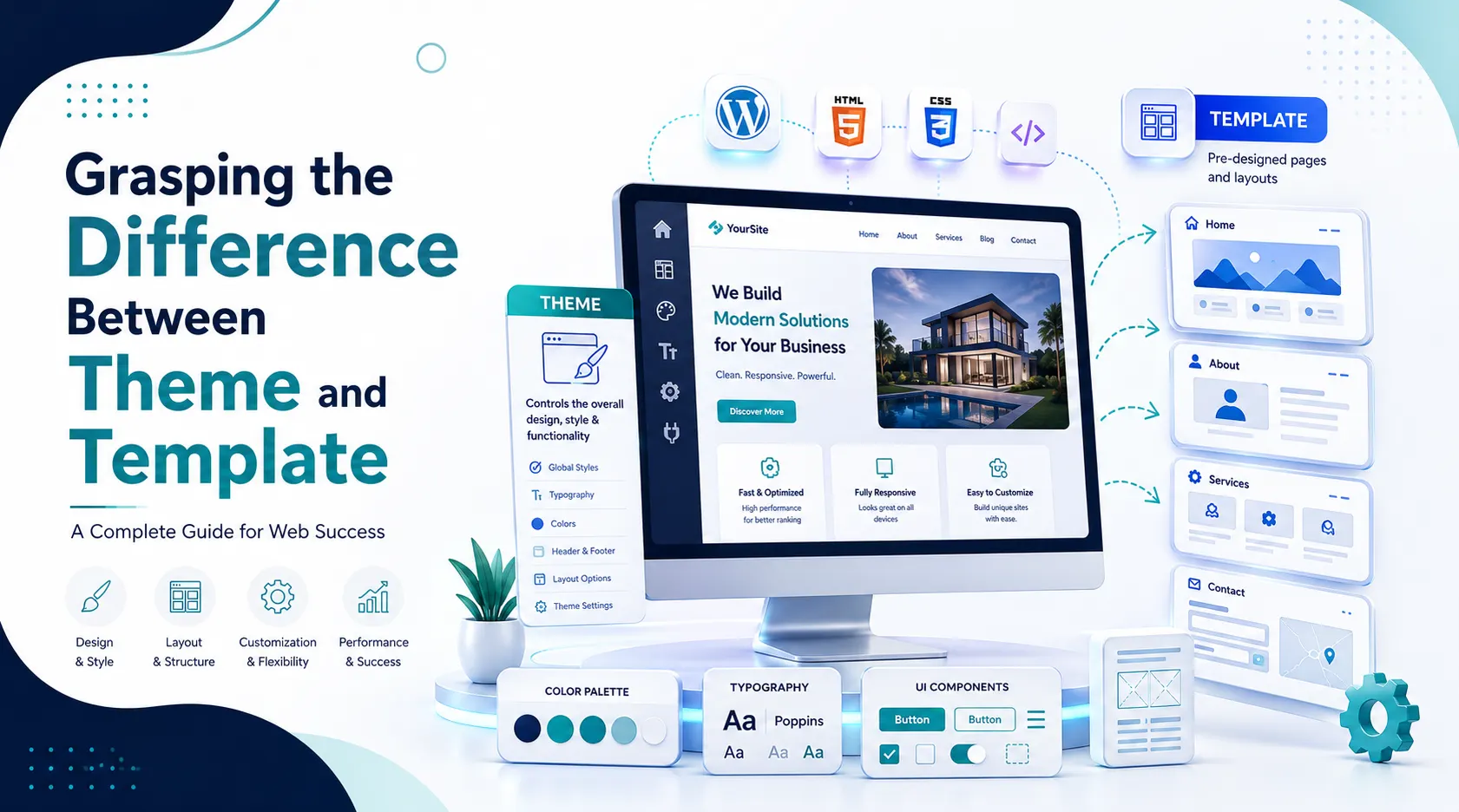
The Ultimate Guide: Grasping the Difference Between Theme and Template for Web Success
Welcome to the definitive guide crafted by Codezion. If you are venturing into web design, you have likely encountered two very common terms that are frequently used interchangeably but mean entirely different things. Understanding the difference between theme and template is crucial for web developers, digital marketers, and business owners who want complete control over their digital footprint. Today, we are going to dive deep into website theme vs template, answer the burning question of what is a website template, analyze the nuances of WordPress theme vs template, and show you how to leverage Codezion theme customization for your upcoming projects.
When you start building a website, whether it is an e-commerce platform or a corporate blog, you are essentially laying down the digital bricks of your business. If you don't know the difference between theme and template, you might end up purchasing the wrong digital asset, wasting both time and money. The debate of website theme vs template is not just a battle of semantics; it is a fundamental architectural distinction. By the end of this 1200-word deep dive, you will have absolute clarity on these concepts, ensuring your Codezion theme customization processes run as smoothly as a finely tuned engine.
Website Theme vs Template: Decoding the Structural Blueprint of Your Site
To kick things off in our exploration of website theme vs template, let us look at the big picture. Imagine you are building a house. The theme is the overall architectural style—is it a Victorian mansion, a modern minimalist loft, or a rustic cabin? It dictates the exterior paint, the style of the roof, the type of windows, and the overarching aesthetic. It is universal. On the other hand, the template is the specific floor plan for a single room within that house. It dictates where the bed goes in the master bedroom or where the island sits in the kitchen.
When you evaluate the difference between theme and template, keep this house analogy in mind. A theme governs the macro; a template governs the micro. Understanding website theme vs template allows you to make informed decisions about your site's architecture. If you want to change the entire look and feel of your website across every single page simultaneously, you change the theme. If you only want to rearrange the layout of your 'About Us' page, you change the template. This macro-versus-micro dynamic is the fundamental difference between theme and template.
Furthermore, Codezion theme customization relies heavily on this distinction. When our developers at Codezion work on a client's site, we establish the global parameters first. We define the typography, the primary color palettes, and the header and footer styles. These are all thematic elements. Once that global environment is set, we move on to individual page layouts. Recognizing website theme vs template differences saves hours of coding, allowing for a streamlined Codezion theme customization experience that scales beautifully.
Demystifying the Basics: What is a Website Template Exactly?
So, narrowing our focus, what is a website template? At its core, a website template is a pre-designed, specific layout for a single web page. It provides the structural framework for where content—such as text, images, videos, and forms—will be placed on that specific page. If someone asks you, "what is a website template?", you can tell them it is the individual mold for a single piece of the website puzzle.
Historically, before Content Management Systems (CMS) became the norm, websites were built using static HTML files. Each of these files was essentially a template. If you had a five-page website, you had five templates. Today, the answer to what is a website template has evolved, especially within dynamic systems, but the core principle remains the same. It governs the specific arrangement of elements on a single page.
For instance, your website might have a 'Contact' template, a 'Blog Post' template, and a 'Product Page' template. All of these templates share the overarching global design (the theme), but their internal layouts are distinct. When you grasp what is a website template, you understand that it is a tool for localized organization. It does not dictate the site's primary navigation menu or the footer credits; it dictates how the specific content of that page is presented to the user. This localized nature is a key part of understanding the difference between theme and template.
WordPress Theme vs Template: A Technical Breakdown for Codezion Users
The confusion between these terms often reaches its peak in the WordPress ecosystem. Let us break down WordPress theme vs template. In WordPress, a theme is a complete directory of files (including stylesheets, PHP files, scripts, and images) that work together to create the overarching design and functionality of your site. You can only have one theme active on a WordPress site at any given time.
Conversely, in the context of WordPress theme vs template, templates are the individual PHP files located inside the theme folder. For example, a standard WordPress theme will contain a `single.php` template for individual blog posts, a `page.php` template for static pages, and a `404.php` template for error pages. Therefore, when discussing WordPress theme vs template, the relationship is hierarchical: the theme contains multiple templates.
You cannot install a template in WordPress the way you install a theme. You install the theme, and the theme provides the templates. Understanding WordPress theme vs template is essential for effective Codezion theme customization. If a client wants their blog posts to look different from their standard web pages, our developers modify the specific template file within the active theme. Knowing how to navigate WordPress theme vs template hierarchies allows for granular control over the user experience without breaking the global site architecture.
Codezion Theme Customization: Unlocking Unprecedented Design Flexibility
Now that we have thoroughly explored the difference between theme and template, how do we apply this knowledge? This is where Codezion theme customization comes into play. At Codezion, we build digital solutions that leverage the full power of macro themes and micro templates. We know that businesses need both global consistency and localized flexibility.
Effective Codezion theme customization starts with a robust, well-coded theme. This theme acts as the ultimate foundation. It ensures that your brand identity—your colors, your fonts, your overarching vibe—remains consistent whether a user is looking at your homepage or your terms of service. Once that foundation is solid, Codezion theme customization focuses on building diverse, highly converting templates.
For example, an e-commerce client might need a highly specific layout for their flagship product that differs from their standard catalog. By applying our knowledge of the difference between theme and template, we don't need to build a whole new site. We simply create a custom product template within the existing theme. This approach to Codezion theme customization is cost-effective, scalable, and highly efficient.
Furthermore, grasping website theme vs template prevents technical debt. When untrained developers try to force page-level changes globally, or global changes on a page-level basis, the codebase becomes a mess. By respecting the boundaries of website theme vs template, Codezion ensures that your website remains fast, secure, and easy to update. Understanding what is a website template empowers you to ask for exactly what you need—a new page layout—without disrupting the entire site's ecosystem. And understanding WordPress theme vs template ensures that if you are using the world's most popular CMS, you are using it correctly.
Summary: Mastering the Difference Between Theme and Template
To summarize our 1200-word deep dive, the difference between theme and template boils down to scope.
- **Theme**: Global, site-wide, overarching design, controls the entire aesthetic. (You only have one active at a time).
- **Template**: Local, page-specific, dictates the layout of a single piece of content. (You can have dozens within a single theme).
By understanding website theme vs template, grasping exactly what is a website template, navigating the specifics of WordPress theme vs template, and utilizing expert Codezion theme customization, you set yourself up for digital success. You are no longer guessing; you are architecting. Keep these definitions clear, and your web development journey will be vastly more productive and structurally sound.
10 Frequently Asked Questions (FAQs)
1. What is the main difference between theme and template?
The main difference between theme and template is scale. A theme controls the global look of the entire website, while a template controls the specific layout of an individual page.
2. Can I use multiple themes on one website?
Generally, no. In platforms like WordPress, you can only have one active theme at a time, which is a key factor in the website theme vs template discussion.
3. What is a website template used for primarily?
If you are wondering what is a website template used for, it is utilized to structure individual pages (like a 'Contact Us' page) so they have a unique layout while maintaining the global theme.
4. How does WordPress theme vs template work?
In the WordPress theme vs template hierarchy, the theme is the entire software package installed on your site, and the templates are the individual files (like page.php) inside that theme.
5. Does Codezion theme customization change the template or the theme?
Codezion theme customization can involve both! We set up the global theme for brand consistency and create custom templates for unique page layouts.
6. Is changing a template easier than changing a theme?
Yes. Changing a template only affects one type of page. Changing a theme overhauls the entire website, which highlights the operational difference between theme and template.
7. When people say 'HTML template', what do they mean?
When asking what is a website template in HTML terms, it usually refers to a pre-coded static HTML page that you duplicate and manually fill with content.
8. In WordPress theme vs template, which one dictates the header and footer?
The theme dictates the global header and footer, though specific page templates can choose to hide or alter them based on the design needs.
9. Why is Codezion theme customization recommended for businesses?
Codezion theme customization ensures that your website's architecture perfectly balances the global consistency of a theme with the tailored flexibility of unique page templates.
10. Can a theme exist without templates?
Not really. A functional theme must contain at least a few basic templates to display content. They are intrinsically linked, which is why website theme vs template is such an important relationship to understand.